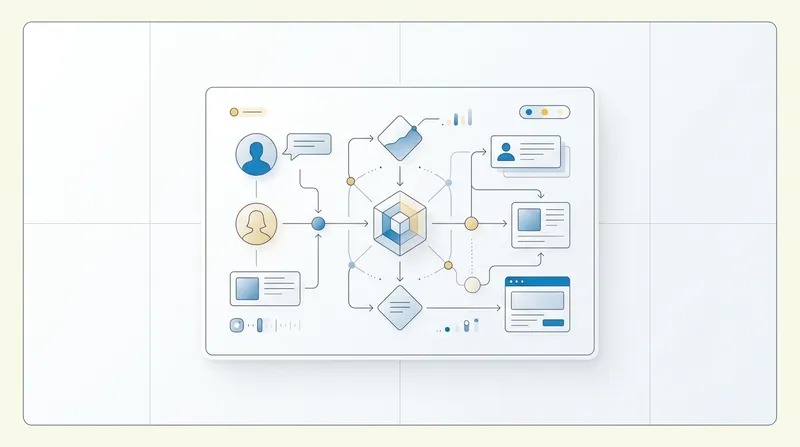
Weekly Content Planner Template for Busy Professionals
Download a time efficient weekly content planner template for content planning for LinkedIn.

Creating consistent, high quality posts can feel like a full time job when your primary focus is running a business. This weekly content planner template is designed to help busy professionals, solopreneurs, and small teams simplify the process of content planning for LinkedIn so you can stay visible without draining time or creativity. The planner reduces decision fatigue by fixing structure, assigning themes, and setting realistic production blocks. It pairs strategy with hands on tactics, including an example filled week you can copy, plus time saving workflows and tools to automate repetitive tasks.
In this post you will find a practical template, a step by step guide to use it, and a realistic example week tailored for professionals who want to scale their personal brand and lead generation on LinkedIn. The guidance emphasizes clarity, repeatable formats, and measurable goals so every post has a purpose. If you need faster drafting, editing, or automated scheduling, you will also find recommendations that align with AudienceMx features to help you execute this plan more efficiently.
Why a Weekly Content Planner Matters for Busy Professionals
Consistency is the single most reliable driver of audience growth. Professionals who post regularly see better reach and more meaningful engagement because the platform rewards activity and predictable value. A weekly content planner transforms content production from an ad hoc task into a repeatable system, which makes it easier to maintain quality while working with limited time. When you practice content planning for LinkedIn with a template, you reduce the number of decisions you must make each day and free mental energy for strategy and conversations that move the business forward. Learn more in our post on Long-Term Content Strategies That Survive Algorithm Changes.
Decision fatigue is real. Without structure, every post becomes a new problem to solve. A planner removes the blank page problem by predefining formats, hooks, and CTAs so you spend less time wondering what to write and more time refining your message. For solopreneurs and small teams, that efficiency directly translates to saving hours per week that can go toward client work, product development, or scaling outreach.
Another benefit is brand cohesion. When you plan a week at a time, you can map themes and narratives across posts to reinforce your positioning. Content planning for LinkedIn is not just about frequency. It is about creating a sustained story that helps your audience understand your expertise and trust your perspective. A weekly planner lets you balance value posts, behind the scenes updates, thought leadership, and promotional content in ways that feel authentic and strategic.
Core Elements of the Weekly Planner Template
Every effective weekly planner includes a few constant elements. These components keep your content purposeful and measurable without adding complexity. Below are the elements I recommend including in your template for content planning for LinkedIn. Learn more in our post on How AI Raises the Value of Human Voice in Professional Content.
- Weekly theme to guide topic selection and narrative continuity.
- Daily post format such as story, tip list, question, case study, or resource share.
- Primary hook to capture attention in the first line.
- Core message or takeaway the audience should remember.
- Call to action that aligns with your weekly goal, such as booking a demo, following for updates, or downloading a resource.
- Production notes like visuals needed, estimated drafting time, and assigned owner if you have a team.
- Performance metric to track after publishing, for example comments, profile visits, or click throughs to your website.
Use simple fields in the template to capture this information so filling it out takes no more than 10 to 20 minutes per week. When you pair that level of planning with reliable drafting tools, you can batch create drafts and schedule posts in a single session.
For teams, add a column for ownership and deadlines so every post moves through approval and editing before the scheduled publish time. Even if you are a solopreneur, imagining the role of editor helps you reduce last minute edits and keep tone consistent across posts.
How to Use the Template: A Step by Step Process
Implementing a weekly planner is easiest when you follow a predictable workflow. Below is a reproducible process for content planning for LinkedIn that minimizes context switching and maximizes output quality. Learn more in our post on Micro-Communities: The Underrated Path to a Loyal Professional Audience.
- Select your weekly theme. Choose a high level topic that ties your posts together. Examples include client onboarding, pricing strategy, or product lessons learned.
- Define 3 to 5 content pillars. These are the angles you will rotate through during the week, such as education, experience, industry insight, and client wins.
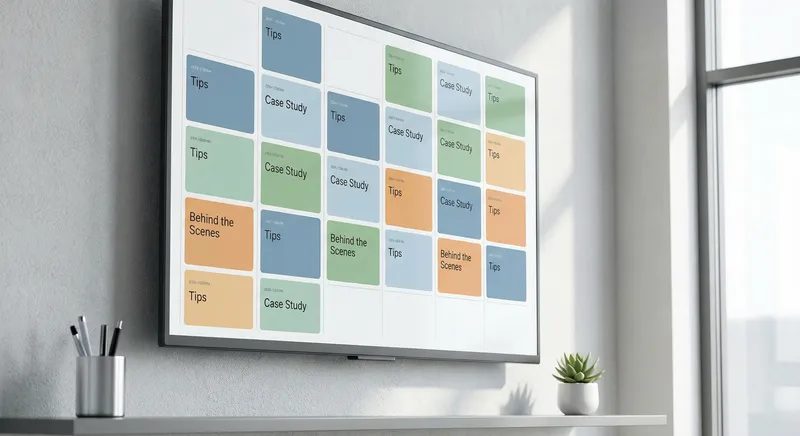
- Assign formats to days. Decide which format works best each day. For example, Monday for provocative questions, Tuesday for tips, Wednesday for case studies, Thursday for behind the scenes, and Friday for lessons learned.
- Create hooks and core messages. For each day, draft a one line hook and a one sentence takeaway. Keep hooks short and benefit oriented to increase attention in feeds.
- Batch draft and edit. Spend one focused block to write all five drafts. Then do a separate editing pass for tone refinement and clarity. Tools that improve hooks and structure can cut editing time in half.
- Add visuals and production notes. Decide whether a post needs a photo, a simple graphic, or no visual. Make notes about image sources and time estimates for creation.
- Schedule and monitor. Use a calendar to schedule posts at the times your audience is most active. Track the chosen performance metrics and make small adjustments week to week.
This workflow supports both professionals who like to plan in advance and teams that need predictable handoffs. The biggest time saver is batch working on multiple posts in one sitting. That is why the template groups the week into a single planning unit rather than daily tasks.
Practical tips to speed up steps
Use templates for hooks and openers, maintain a swipe file of high performing ideas, and keep short lists of evergreen topics you can reuse. When you repurpose long form content into short posts, you conserve effort while reaching different audience segments with the same core insight. Combining these tactics makes content planning for LinkedIn faster and less mentally taxing.
Where possible, automate repetitive tasks such as scheduling and tone optimization by using AI assisted tools. Automation is not a substitute for strategy but it helps you execute the plan consistently at scale. AudienceMx can be used to draft, polish, and schedule posts quickly while keeping your brand voice intact.

Example Week: A Filled Planner for a Solopreneur
Below is a realistic example of a weekly planner filled out for a solopreneur offering consulting services in technology adoption. This example shows how to apply content planning for LinkedIn to create a coherent week that highlights expertise, generates engagement, and drives leads.
- Weekly theme: Practical change management tips for tech adoption
- Goal: Increase profile visits and collect 3 demo requests
- Metrics: Comments, profile visits, demo request form submissions
Monday - Format: Provocative opener
Hook: "Most tech rollouts fail for one reason few leaders measure." Core message: You need to measure behavior change, not just usage metrics. CTA: Ask a question to solicit comments. Production notes: 10 minute draft, no visual required.
Tuesday - Format: Short tips list
Hook: "3 nontechnical signs your rollout is in trouble." Core message: Soft signals can predict failure. CTA: Encourage sharing and save for later. Production notes: Create a simple graphic with three bullets.
Wednesday - Format: Case study
Hook: "How one team reduced support tickets by 40 in 6 weeks." Core message: Small process tweaks and targeted training produce outsized results. CTA: Link to a one page case study on your website. Production notes: Draft 200 to 300 words, add client permission blurb if required.
Thursday - Format: Behind the scenes
Hook: "My weekly checklist for client onboarding." Core message: A documented checklist reduces churn. CTA: Invite followers to request your checklist. Production notes: Use a photo of workspace or a screenshot of a checklist without client details.
Friday - Format: Lessons learned
Hook: "What I wish I knew before my first large rollout." Core message: Share 2 or 3 quick lessons and include a human element. CTA: Invite prospects to book a short call. Production notes: Keep tone conversational and add a signature CTA.
This example balances educational content with trust building and lead generation. It also keeps production realistic for a single creator who needs to allocate time for client work. You can replicate the structure and replace the weekly theme depending on your industry and goals.
Templates and Fillable Format
Use a simple grid for your weekly template. The following fields are enough to keep every post purposeful without overcomplication.
- Day of week
- Format
- Hook (one line)
- Core message (one sentence)
- CTA
- Visual notes
- Draft time estimate
- Owner or status
- Performance metric to track
Keep this grid in a single spreadsheet or document. If you prefer a visual calendar, map each post to a day and time block. The key is that the template is easy to copy and reuse. Over time you will build a repository of hooks and formats that performed well so you spend less time creating and more time optimizing.
For teams, include an extra column for review notes and version control. Assign specific approval deadlines so edits do not block publishing. Having a single person responsible for final publishing prevents last minute delays and ensures a consistent voice across posts.
Time Saving Workflows and Tools
Busy professionals need workflows that reduce friction. Here are practical ways to save time while following your weekly planner and improving consistency for content planning for LinkedIn.
Batch creation is the most powerful time saver. Dedicate a single block of two to three hours per week to ideation and drafting. Use focused timers and clear deliverables such as "write five first drafts" to maintain momentum. When you separate drafting from editing, you decrease perfectionism and increase output.
Leverage templates and reusable formats. If you notice a format that performs well, turn it into a reusable template within your planner. That way you can swap topics but keep structure and hooks that are proven to work. This practice reduces the time spent inventing a format for each post.
Use automation for scheduling and minor edits. Tools that generate hooks, polish tone, and adapt copy to a preferred voice can cut editing time substantially. When you automate small tasks like scheduling and tone adjustments, you preserve your creative energy for strategic decisions. If you want an AI powered option, consider AudienceMx to generate drafts, improve hooks, and automate content planning workflows so you can publish faster without sacrificing brand voice.
Delegate and collaborate where possible. Even if you are a solopreneur, outsourcing tasks like graphic creation or proofreading to a freelancer can free you to focus on thought leadership. For small teams, create a clear handoff process from idea to published post to avoid bottlenecks. The weekly planner becomes the single source of truth for that process.
Optimizing for Engagement and Reach
It is not enough to publish. You also need to optimize each post for engagement and reach. Optimize your hooks and front loaded value to make people stop scrolling. For content planning for LinkedIn, front load the payoff in the first one or two lines so viewers know the benefit immediately.
Ask for genuine engagement. Use thoughtful CTAs that invite comments rather than transactional clicks. Questions that ask people to share their experiences perform better than generic prompts. When you design weekly themes, plan at least one post per week intended specifically to spark conversation.
Format matters. Break long posts into short paragraphs and use clear signposting to make content scannable. Lists and numbered items perform well because they promise quick value. Visuals increase attention, so pair your posts with relevant images or simple graphics that reinforce the point.
Lastly, track what matters. Measure the metrics tied to your weekly goal. If your goal is to generate leads, track profile visits and demo requests. If the goal is thought leadership, track comments and saves. Use the data to refine your themes and formats the following week.
Common Objections and How to Overcome Them
Many professionals hesitate to commit to a weekly planner for reasons that are mostly solvable. Below are common objections and practical solutions to keep you moving forward.
- I do not have time to write. Solution: Batch draft and use templates. Spend one focused session per week on ideation and drafting. Use AI assisted tools for first drafts and tone polishing to cut editing time.
- I am not a natural writer. Solution: Use simple formats like lists and short stories. Focus on clear lessons and outcomes rather than elegant prose. Editing tools can help refine voice and clarity.
- I worry about oversharing. Solution: Create boundaries for what is acceptable to post. Use anonymized examples and keep internal details private. Sharing process and lessons is often enough to demonstrate expertise.
- I manage a small team and approvals slow me down. Solution: Build a lightweight approval workflow into your template with deadlines and one final publisher. Use standardized permissions and an edit checklist to reduce back and forth.
These solutions emphasize that the biggest barrier is often the absence of a repeatable system. Once you adopt a weekly planner and integrate small automation, consistency becomes manageable even with limited time.
Measuring Success and Iterating
Design your weekly plan with measurable outcomes. The measurement should be simple and oriented around the primary goal for that week. For brand awareness, track profile views and new followers. For lead generation, track demo requests or inbound messages. For engagement, track comments and saves. Pick one or two metrics to monitor so you can learn quickly and iterate.
After two to four weeks, compare performance across the same formats to identify patterns. Are case studies getting more saves? Do behind the scenes posts drive more messages? Use those insights to prioritize the formats that produce your desired outcome. Updating your weekly planner based on data is the fastest way to improve ROI from your content planning for LinkedIn.
Set performance targets that are realistic. Small incremental improvements compound over time and keep you motivated. For example, aim to increase meaningful comments by 10 each month or add five new demo requests per quarter. Tie weekly themes to measurable objectives so every piece of content contributes to a larger goal.
Scaling from Solo to Small Team
When you scale from individual creator to a small team, the weekly planner serves as an operational blueprint. Start by assigning roles for ideation, drafting, visual creation, and final publishing. Use the template to clearly communicate deadlines and responsibilities. Maintain a shared content repository of high performing hooks, templates, and visuals that team members can reuse.
Implement a lightweight review process with explicit windows for feedback. Too many rounds of revisions kill momentum, so restrict reviews to a single pass with a defined maximum number of edits. Encourage team members to annotate drafts with their suggestions and maintain a version history to avoid duplicated effort.
Finally, invest in a centralized system where ideas and drafts live. A single source of truth avoids redundant work and makes it easier to onboard new contributors. The weekly planner becomes less about dictating content and more about coordinating a reliable publishing rhythm that preserves voice and standards across contributors.
Conclusion
Consistent content is one of the most powerful long term advantages a professional can build. A weekly content planner removes friction, clarifies priorities, and creates a reproducible process for content planning for LinkedIn. The planner reduces decision fatigue by predefining themes, formats, hooks, and CTAs so you can focus on delivering value instead of inventing content every day. Whether you are a solopreneur or managing a small team, this weekly approach gives you a clear framework to batch create, edit, and schedule posts efficiently.
Adopt a simple grid that captures the day, format, hook, core message, CTA, visual notes, and a performance metric. Use batch drafting techniques and tools to speed up creation. Track one or two metrics that align with your goals and iterate every couple of weeks based on what is working. If approvals slow you down, add a single editor or publisher role to keep the pipeline moving. Small operational changes often yield outsized gains in consistency.
For professionals who want to do more with less time, tools that automate drafts, improve hooks, and enable calendar automation are invaluable. AudienceMx offers an AI powered toolbox tailored for content planning for LinkedIn: unlimited drafting and editing, a content ideas generator, one click tone improvement, and automated content planning features so you can turn your weekly plan into polished posts faster. Integrating a planner with these capabilities reduces the time between idea and publication and ensures your voice remains consistent as volume scales.
Start with one weekly theme and five posts. Use the template to draft everything in one block and schedule in advance. After four weeks, review your metrics and refine themes and formats. Over time you will develop a personal library of high performing posts and templates that make it easy to maintain visibility and drive measurable results. If you want a faster start, try AudienceMx to generate a personalized weekly content plan and ready made drafts that match your voice and goals. Consistent, strategic content is within reach even for the busiest professionals when you combine a simple planner with smart automation.
Ready to save time and post with confidence? Use the weekly planner template, test one theme for a month, and watch small consistent actions compound into stronger visibility and meaningful conversations.