AudienceMx - Article
Vertical Video on LinkedIn: Why Short-Form Content Is Reshaping Professional Networking
LinkedIn vertical video short-form content: Master LinkedIn vertical video to boost engagement and reshape your professional networking strategy.

The professional world is watching. While LinkedIn has long been the domain of text-based posts, company announcements, and the occasional article, a quiet revolution is underway. Vertical video - the short-form, portrait-oriented content that dominates platforms like TikTok and Instagram Reels - is now commanding attention on LinkedIn's feed. But here's what makes this shift different: it's not just another trend chasing novelty. For professionals, entrepreneurs, and business leaders, vertical video represents a fundamental change in how we communicate expertise, build credibility, and connect with our networks.
If you're struggling to cut through the noise on LinkedIn, wondering why your carefully crafted text posts aren't generating the engagement they once did, or questioning whether video is worth the effort, you're not alone. Many professionals feel overwhelmed by the prospect of creating video content - it seems technical, time-consuming, and outside their comfort zone. Yet the data tells a compelling story: video content, particularly short-form vertical video, is reshaping how professionals communicate on LinkedIn. The question isn't whether to embrace this format - it's how to do it effectively while maintaining your authentic professional voice.
The Rise of Vertical Video on LinkedIn: Understanding the Shift
LinkedIn's algorithm has undergone a significant evolution. The platform, once dominated by static text and image posts, now actively promotes video content to users' feeds. This isn't accidental. LinkedIn's leadership has recognized that video drives engagement, time spent on platform, and meaningful professional conversations. Vertical video, specifically, aligns with how people naturally consume content on mobile devices - and let's face it, most professionals are scrolling LinkedIn on their phones during coffee breaks, commutes, and between meetings. Learn more in our post on Why Authentic Storytelling Wins on LinkedIn in the AI Era.
The shift reflects broader changes in professional communication. Younger professionals entering the workforce have grown up with short-form video. They expect dynamic, engaging content. Meanwhile, established professionals are discovering that video humanizes their brand in ways text never could. When someone watches you speak directly to the camera, sharing insights or lessons learned, they form a connection that reading your written words simply doesn't create. It's the difference between reading a biography and having a conversation with someone face-to-face.
What makes vertical video particularly powerful on LinkedIn is its efficiency. In a 15-second to 60-second format, you can communicate complex ideas, share valuable insights, or tell a compelling story. The vertical format itself - designed for mobile viewing - means your content occupies more screen real estate, making it harder to ignore as someone scrolls. Studies show that video content receives significantly higher engagement rates than text or static images on LinkedIn, with some formats seeing 5x higher engagement compared to traditional posts.
Video isn't just content; it's the conversation. This shift on LinkedIn reflects how professionals now expect to receive information - through dynamic, human-centered formats that respect their time while delivering value.
The professional networking landscape is changing because the way we work is changing. Remote work, distributed teams, and asynchronous communication have made personal connection more valuable than ever. Vertical video fills that gap, creating a sense of presence and authenticity that traditional posts cannot match. When you appear on someone's feed speaking directly to them, you're building trust and credibility in real time.
Crafting Effective Vertical Video Content: Best Practices for Professionals
Creating vertical video for LinkedIn doesn't require expensive equipment or professional production skills. In fact, the most effective vertical videos often feel authentic and slightly raw - they're shot on smartphones, recorded in natural lighting, and feature real professionals speaking genuinely about their expertise. The key is understanding the fundamentals that make vertical video work on LinkedIn's platform. Learn more in our post on Weekly Content Planner Template for Busy Professionals.
Optimal Video Length and Format
Length matters, but perhaps not in the way you might think. While short-form video typically refers to content under 60 seconds, the sweet spot for LinkedIn vertical video appears to be 15 to 45 seconds. This length is long enough to deliver meaningful value - a quick tip, a brief lesson, or the beginning of a story - but short enough to hold attention in a scrolling feed. Videos shorter than 15 seconds often feel rushed, while those exceeding 60 seconds risk losing viewers who don't have time to watch longer content.
The aspect ratio is critical. Vertical video uses a 9:16 ratio, which fills mobile screens and creates visual impact. When you film in this format from the start, rather than cropping horizontal video, the composition feels intentional and professional. Your framing should leave appropriate headroom above your head and ensure your face occupies a good portion of the frame - this isn't a full-body shot; it's more intimate, like you're speaking directly to someone.
Consider breaking longer content into a series of vertical videos. Instead of cramming everything into one 60-second piece, create a three-part series where each video builds on the previous one. This approach encourages viewers to watch multiple pieces of your content, increases your visibility in the feed, and allows you to explore a topic more thoroughly. Each video should stand alone while creating curiosity about the next installment.
The Opening Hook: Capturing Attention in the First Three Seconds
On LinkedIn, viewers decide within the first three seconds whether to watch your entire video or scroll past. This reality demands a compelling opening. The most effective hooks for vertical video include asking a provocative question, making a surprising statement, or immediately demonstrating value. Avoid lengthy introductions or lengthy explanations of what the video will be about.
Examples of strong opening hooks include: "Here's what nobody tells you about..." "I made this mistake for three years before..." "This one change increased my productivity by 40%..." or "Your network is asking this question and getting it wrong." These openers create immediate curiosity or relevance, giving viewers a reason to keep watching.
The visual component of your hook is equally important. Your facial expression, body language, and the setting should immediately convey that something valuable is coming. A slight head tilt, raised eyebrows, or a knowing smile can communicate that you're about to share insider knowledge. Your background should be clean and professional without being sterile - a home office, a coffee shop, or an outdoor setting works well as long as it's not distracting.

Scripting and Content Strategy: Turning Ideas Into Engaging Videos
Many professionals assume that vertical video content requires spontaneous, off-the-cuff delivery. While authenticity matters, structure is equally important. A well-crafted script doesn't mean sounding robotic or overly rehearsed; it means knowing exactly what you want to say, how to say it clearly, and how to deliver it in a way that feels natural and conversational. Learn more in our post on Repurposing LinkedIn Posts into Email, Talks, and Sales Collateral.
Developing Your Video Script
The anatomy of an effective LinkedIn vertical video script includes four key components: the hook, the insight or story, the takeaway, and the call-to-action. Each section should flow naturally into the next, with your script serving as a guide rather than something to read verbatim.
Start by writing your hook - the first sentence that will appear on screen. Make it punchy and specific. Instead of "Today I want to talk about productivity," try "I wasted six months using the wrong productivity system - here's what actually works." Next, develop your insight or story. This is the meat of your video, where you deliver the value. Whether you're sharing a lesson learned, explaining a concept, or telling a brief anecdote, keep it focused on a single idea. Trying to cover multiple points dilutes your message and confuses viewers.
Your takeaway should be crystal clear - what is the one thing you want viewers to remember? State it explicitly. Finally, include a subtle call-to-action. This might be asking viewers to share their own experience in the comments, directing them to check out related content on your profile, or inviting them to connect if they found the insight valuable. The call-to-action should feel natural, not forced.
When writing your script, use conversational language. Write as you speak. Read your script aloud before recording - if you stumble over a phrase or it feels awkward to say, rewrite it. Your script should be short enough to memorize or reference quickly, allowing you to maintain eye contact with the camera rather than reading directly from a script.
Repurposing Existing Content Into Vertical Video
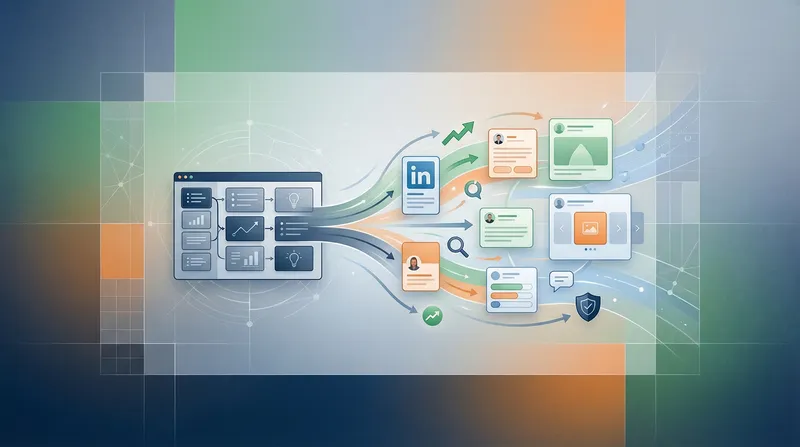
One of the biggest barriers professionals face when considering video content is the assumption that they need to create entirely new material. In reality, your existing content - blog posts, written LinkedIn posts, articles, and presentations - can be transformed into compelling vertical videos. This repurposing strategy allows you to maximize the value of your content creation efforts while reaching audiences who prefer video over text.
Take a blog post you've written about a professional topic. Identify the three to five key insights or tips. Each of these can become a separate vertical video. Extract the most compelling story or example from your written content and turn it into a 30-second video narrative. If you've shared a detailed LinkedIn post with a step-by-step process, break each step into its own vertical video, creating a series that viewers can watch consecutively.
This approach isn't about simply reading your written content on camera - that would be tedious and ineffective. Instead, it's about translating the core idea into a format optimized for video. A written explanation might be 300 words; the video version should distill this into 60 seconds of dynamic, engaging content. Focus on the most important information and remove any tangential details that worked in written form but would bog down a video.
Repurposing content isn't lazy; it's strategic. One well-researched idea can generate multiple pieces of content across different formats, reaching different audience segments and maximizing your content ROI.
Consider your existing body of work. If you've published thought leadership articles, shared case studies, or documented your professional journey, all of this material contains video-worthy insights. By systematically converting your best content into vertical video format, you're not starting from scratch - you're amplifying what you've already created and reaching people who consume content differently than you initially intended.
Technical Execution: Recording, Editing, and Publishing Vertical Video
The technical side of vertical video production has become remarkably accessible. You don't need expensive cameras, professional lighting rigs, or editing software that requires hours of learning. The tools available to professionals today make it possible to create polished vertical video content using just a smartphone and freely available apps.
Recording Your Vertical Video
Your smartphone is your most powerful tool. Modern phones have excellent cameras, built-in stabilization, and the ability to record in vertical format natively. When recording, hold your phone in portrait orientation - this is your natural vertical video format. Position yourself with adequate headroom, ensure your face is well-lit, and find a clean background that won't distract from your message.
Lighting is crucial but doesn't require professional equipment. Natural light from a window is often ideal - position yourself facing the light source so your face is evenly illuminated. Avoid backlighting, which creates silhouettes and makes your face appear dark. If recording indoors without good natural light, a simple desk lamp positioned to the side can provide adequate illumination. The goal is to avoid harsh shadows on your face while creating a professional appearance.
Audio quality matters as much as visual quality. Record in a quiet environment where background noise won't interfere with your voice. If you're recording in a home office, close doors, turn off notifications, and ask others to minimize noise. Many professionals find that using their phone's built-in microphone works adequately, but if you're serious about video content, a small external microphone (many cost under $50) can significantly improve audio quality.
Record multiple takes. Perfection isn't necessary, but you want to capture a version where your delivery feels natural, your pacing is good, and you haven't stumbled over words. Most professionals find that the third or fourth take is typically their best - you've warmed up, become more comfortable with the material, and found a natural rhythm in your delivery.
Editing for Maximum Impact
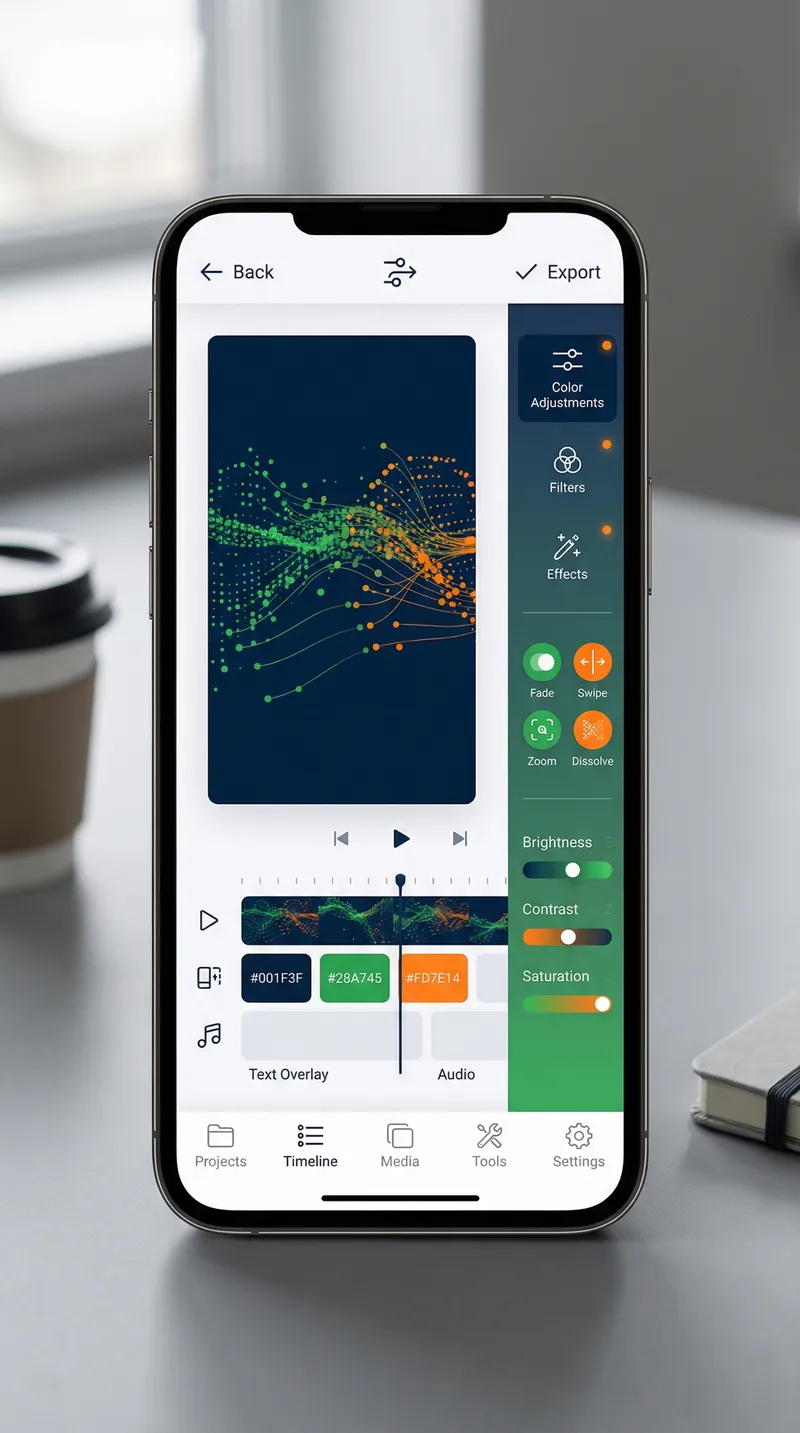
Basic editing can elevate your vertical video from good to great. You don't need complex effects or transitions - in fact, overly produced videos can feel less authentic on a professional platform like LinkedIn. Focus on editing that enhances clarity and maintains viewer attention.
Use simple cuts to remove long pauses, verbal stumbles, or moments where you lose focus. Add text overlays that highlight key points - these serve dual purposes of emphasizing important information and making your content accessible to viewers who watch without sound. Many LinkedIn users scroll with sound off, so text overlays ensure your message comes through regardless.
Consider adding a subtle background or slight color grading to make your video visually consistent with your personal brand. If you're using a tool specifically designed for content creators, you might add simple animations, transitions between sections, or visual elements that reinforce your message. However, restraint is key - the content and your delivery should be the focus, not flashy effects.
Mobile editing apps like CapCut, InShot, or Adobe Premiere Rush make professional-quality editing accessible without requiring desktop software or extensive learning curves. These apps are designed for vertical video, understand social media requirements, and offer templates that can speed up your editing process. Many offer free versions with all the essential features you need to get started.
Maximizing Engagement: Strategy Beyond the Video Itself
Creating a high-quality vertical video is only half the battle. How you present it on LinkedIn, when you publish it, and how you engage with viewers in the comments section all significantly impact your video's performance and reach.
Crafting the Perfect Post Caption
Your video caption serves multiple purposes. It provides context for viewers who might not watch the entire video, it helps LinkedIn's algorithm understand what your content is about, and it sets expectations for what viewers will see. A strong caption teases the value in your video without giving everything away.
Start with an engaging opening line that complements your video's hook. You might ask a question, make a statement, or reference a common challenge. Follow this with a brief explanation of what the video covers and why it matters to your audience. Keep your caption concise - people are scrolling, not reading lengthy text blocks. Two to three sentences is typically sufficient.
Include relevant keywords naturally throughout your caption and video. If you're creating content about remote work productivity, personal branding, or sales techniques, these terms should appear organically in your caption. This helps LinkedIn's algorithm match your content with people searching for these topics or with similar interests.
End your caption with a clear call-to-action. Ask viewers to share their own experience in the comments, tag someone who should see this content, or let you know what topic you should cover next. Engagement in the comments section signals to LinkedIn's algorithm that your content is resonating, which increases its distribution to a broader audience.
Timing and Consistency
When you publish your vertical video matters. LinkedIn's engagement patterns show that content published during business hours - typically between 8 AM and 5 PM on weekdays - receives more immediate engagement. However, the best time to post depends on your specific audience's time zone and habits. If your network spans multiple time zones, you might publish when you have the most connections active.
Consistency matters more than frequency. Publishing one high-quality vertical video every week creates a predictable cadence that trains your audience to expect and look for your content. This is more effective than publishing three videos one week and then nothing for a month. Your audience begins to anticipate your content, and the algorithm recognizes your consistent activity as a signal of an engaged creator.
Consider batching your video creation. Set aside a few hours each month to film multiple vertical videos. This approach reduces the friction of content creation - you're already set up with lighting, background, and mindset - so you can film several takes and multiple video topics in one session. Batch filming also allows you to maintain consistency even during busy periods when you might not have time to film on a weekly basis.
Engaging With Your Audience
After publishing your vertical video, your involvement doesn't end. The first few hours after publication are critical. Respond to comments promptly, thank people for watching, and engage with their responses. This activity signals to LinkedIn's algorithm that your post is generating meaningful conversation, which increases its distribution.
Don't just respond with "Thanks for watching!" Instead, add value to the conversation. If someone shares their own experience related to your video, acknowledge their insight and build on it. If someone asks a question, provide a thoughtful answer. This engagement transforms your video from a broadcast into a conversation, which is exactly what LinkedIn's algorithm is designed to promote.
Pay attention to which videos generate the most engagement and which topics resonate with your audience. Use these insights to inform your future content strategy. If a video about overcoming professional setbacks generates significant engagement, create more content in that vein. If a particular format or length performs better than others, adjust your approach accordingly.
Overcoming Common Obstacles: Building Confidence in Video Content
Even understanding the strategy and technical aspects of vertical video, many professionals hesitate to start. Common concerns include camera anxiety, worry about how they look on video, uncertainty about whether they have anything valuable to share, and fear of judgment from their professional network.
Addressing Camera Anxiety
The anxiety of appearing on camera is real and common. The solution isn't to ignore it but to work through it gradually. Start by recording videos for yourself - don't publish them. Get comfortable with how you look and sound on camera. Watch your recordings and notice what feels natural and what feels forced. Most people discover that they're far more critical of themselves than anyone watching would be.
Remember that your professional network wants to see you succeed. They're not scrutinizing your appearance or judging your delivery harshly. They're looking for valuable insights, authentic connection, and useful information. When you shift your focus from how you look to the value you're providing, the anxiety diminishes significantly.
Start small. Your first video doesn't need to be perfect. In fact, a slightly imperfect, authentic video often outperforms an overly polished one. People connect with real humans, not artificial perfection. Give yourself permission to be a beginner and to improve over time. Your tenth video will be noticeably better than your first, but your first video is the only one that matters for getting started.
Finding Your Video Voice
On camera, many people feel pressure to adopt a different persona - more energetic, more polished, more "broadcast-like." This is counterproductive. Your video voice should be an extension of your authentic professional self. If you're naturally thoughtful and measured in conversation, don't suddenly become high-energy on camera. If you're naturally enthusiastic, don't dampen that for the sake of appearing "professional."
The best vertical video content comes from professionals who bring their genuine personality to the format. This authenticity is what builds trust and connection with your audience. Your unique perspective, your specific experiences, and your particular way of communicating are your competitive advantages. Lean into these rather than trying to mimic what you think professional video should look like.
Conclusion: Your Next Step Toward Video-Powered Professional Growth
Vertical video on LinkedIn isn't a passing trend - it represents a fundamental shift in how professionals communicate, build credibility, and expand their networks. The platform's algorithm favors video content, your audience expects dynamic formats, and the tools to create professional vertical video are more accessible than ever. The question is no longer whether to embrace vertical video, but how quickly you can integrate it into your content strategy.
The path forward is clear but requires action. Start by identifying one piece of existing content - a blog post, a detailed LinkedIn post, or a key insight from your professional experience - and transform it into a 30-second vertical video. Use your smartphone, record in a quiet space with good lighting, and keep your message focused on a single valuable point. Publish it, engage with comments, and notice what resonates with your audience. Then create another one.
This is where AudienceMx becomes your strategic advantage. Rather than spending hours brainstorming video ideas, wrestling with scripts, or struggling to translate written content into video format, AudienceMx's AI-powered content creation tools streamline the entire process. Our Content Ideas Generator identifies video-worthy insights from your expertise. Our Personalized Post Generation helps you craft compelling captions that complement your vertical videos. Our One-Click Tone Improvement ensures your messaging resonates with your professional audience. And our Content Calendar Automation helps you maintain the consistency that drives results.
The professionals who are winning on LinkedIn right now aren't necessarily the ones with the biggest budgets or most sophisticated equipment. They're the ones who've embraced vertical video, understood their audience's preferences, and committed to consistent, valuable content creation. They're using tools that eliminate friction from the creation process, allowing them to focus on strategy and authenticity rather than logistics.
Your network is watching. They're ready for content that educates, inspires, and connects. Vertical video is your vehicle for delivering exactly that. Start this week. Record your first vertical video, publish it, and observe how your audience responds. Then let AudienceMx amplify your efforts by streamlining your content creation workflow, generating fresh ideas, and helping you maintain the consistency that builds authority and visibility on LinkedIn. Your professional growth depends not on waiting for the perfect moment, but on taking the first imperfect step today.